
Online Android games have become increasingly popular because they offer entertainment without always requiring users to download large applications. Many people prefer playing games directly through a mobile browser because it saves storage space, reduces installation time, and provides convenient access. But can online Android games actually run in a browser?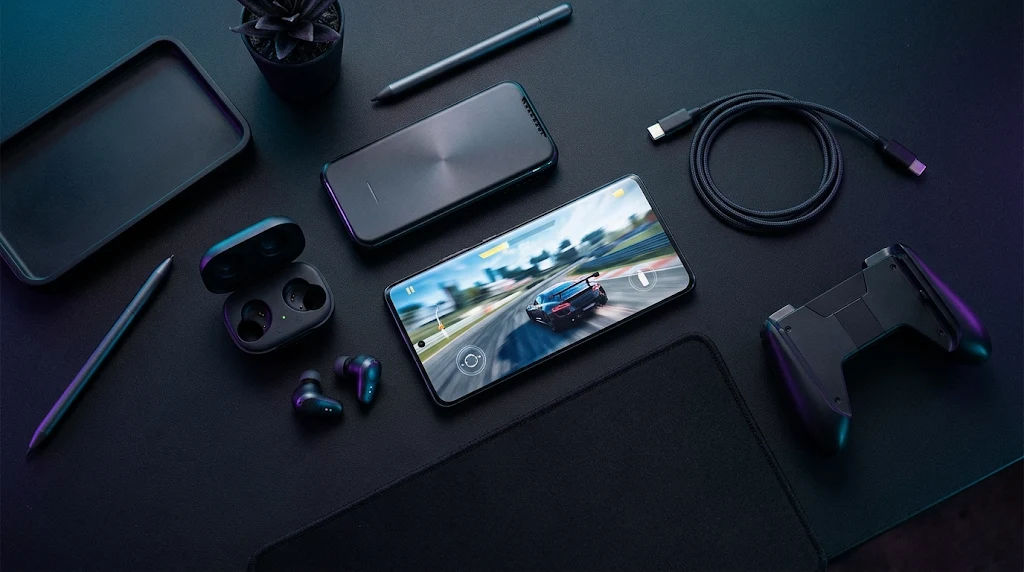 The answer is yes. Many Android-compatible games can run through modern browsers using web technologies such as HTML5, JavaScript, and WebGL.
Browser gaming has also changed how people discover and access online entertainment. Platforms such as open88.bet are examples of names users may encounter when exploring browser-based gaming websites. However, understanding how browser games work, which devices support them, and what safety considerations matter is essential before using any online gaming platform.
Whether someone uses an Android smartphone, tablet, or another compatible device, browser gaming can provide a convenient experience. Modern browsers are capable of running many interactive games without requiring a separate application. Nevertheless, performance depends on the game, internet connection, device specifications, and browser compatibility.
How Online Android Games Work in a Browser
Online Android games can run through a browser when developers create them using technologies that modern browsers support. Unlike traditional Android applications, browser games do not necessarily need to be installed through an application store.
Instead, the game loads through a website. The browser processes its programming code, displays graphics, manages sound, and responds to user interactions.
This approach makes games accessible across different devices.
What Is Browser-Based Gaming?
Browser-based gaming refers to playing games OPEN88 through an internet browser rather than installing a dedicated application.
For example, someone can open Chrome on an Android smartphone, visit a compatible gaming website, and start playing a supported game.
The browser acts as the environment where the game operates.
Most browser games use web technologies that allow developers to create interactive experiences. These technologies make it possible to display animations, process user inputs, and manage different game elements.
How Android Browsers Support Games
Android browsers support several technologies that make gaming possible.
HTML5 provides the structure for displaying game content. JavaScript manages interactions and game logic, while CSS controls visual presentation.
WebGL allows compatible browsers to display advanced graphics through the device's graphics hardware.
Together, these technologies allow developers to create games that work across smartphones, tablets, and computers.
However, not every Android game automatically works in a browser. Traditional Android applications may depend on features that are only available through the Android operating system.
Which Browsers Can Run Online Android Games?
The browser a person uses can influence the gaming experience. Some browsers offer better compatibility, performance, and resource management than others.
Fortunately, most modern Android browsers support the essential technologies required by browser-based games.
Google Chrome
Google Chrome is one of the most commonly used browsers on Android devices.
It supports modern web standards, including HTML5, JavaScript, and WebGL. These features allow many browser games to operate without requiring additional software.
Chrome also receives regular updates that improve security, compatibility, and performance.
For many users, Chrome is a convenient starting point for exploring browser gaming.
Mozilla Firefox
Firefox is another browser that supports many modern web technologies.
It can run HTML5 games and websites that use JavaScript-based gaming systems.
Its privacy settings and customization features also make it an alternative for people who prefer greater control over their browsing experience.
However, individual games may perform differently depending on the browser version and device.
Samsung Internet
Samsung Internet is designed for Android devices and is particularly common among Samsung smartphone users.
It supports modern website features and provides a mobile-friendly browsing experience.
Many browser games work through Samsung Internet, although compatibility depends on the technologies used by the particular game.
Microsoft Edge
Microsoft Edge is another option for Android gaming.
It supports modern web standards and can access websites that offer browser-based games.
Keeping the browser updated is important because older versions may not support certain gaming features.
What Types of Android Games Can Run in a Browser?
Not every Android game needs a dedicated application. Several categories of games are specifically designed to work through browsers.
The available selection depends on the website, device, and browser capabilities.
HTML5 Games
HTML5 games are among the most common types of browser-based games.
They are developed using technologies that modern browsers understand.
Examples include:
-
Puzzle games.
-
Card games.
-
Educational games.
-
Simple adventure games.
-
Arcade-style games.
-
Interactive strategy games.
These games can often run without installation.
HTML5 also makes it easier for developers to create games that adapt to different screen sizes.
Casual Games
Casual games are generally designed around simple controls and straightforward gameplay.
They are particularly suitable for mobile browsers because they usually require fewer system resources than complex games.
Examples include matching games, word puzzles, and basic platform games.
Many casual games can start quickly and do not require powerful smartphone hardware.
Multiplayer Browser Games
Some browser games allow multiple players to participate in the same online environment.
These games use internet connections to communicate between players and game servers.
Depending on their design, they may include leaderboards, shared challenges, or cooperative gameplay.
A stable internet connection is particularly important for multiplayer experiences because delays can affect communication and responsiveness.
Strategy and Simulation Games
Certain strategy and simulation games can also operate through mobile browsers.
These games may include resource management, planning, decision-making, and interactive environments.
However, more advanced games may require additional processing power and memory.
Therefore, users should check the game's technical requirements before expecting smooth performance.
Do Browser Games Require Installation?
One of the biggest advantages of browser gaming is that many games do not require traditional installation.
Users can access compatible games directly through websites.
This approach offers several practical benefits.
Saving Phone Storage
Mobile applications can occupy considerable storage space.
Games with advanced graphics, additional levels, and downloadable resources may require even more storage.
Browser games can reduce the need to install separate applications.
Some browser games still store temporary files and cached resources on the device, but they generally do not require the same installation process as conventional Android applications.
Faster Access
Browser games can be convenient when users want to try something without downloading an application.
Instead of opening an application store, searching for a game, and waiting for installation, users can access a compatible website directly.
The actual loading time depends on internet speed and game complexity.
No Traditional Updates
Many browser games receive updates directly through their websites.
When developers update the game, users generally receive the latest version the next time the browser loads it.
However, some websites may store older resources in the browser cache.
Refreshing the page or clearing outdated website data can sometimes resolve display problems.
What Internet Connection Is Needed for Browser Gaming?
Internet connectivity is an important part of online gaming.
Although some browser games can operate offline after loading, most online games require an active connection.
The quality of that connection influences loading speed and responsiveness.
Wi-Fi Connections
Wi-Fi is often a convenient option for browser gaming.
A stable home or public Wi-Fi connection can provide sufficient bandwidth for many lightweight games.
However, public networks may experience congestion, interruptions, or security limitations.
Users should avoid entering personal information on unfamiliar or untrusted networks.
Mobile Data
Android smartphones can also access browser games through mobile data.
A reliable 4G or 5G connection may provide a smooth experience for many games.
However, mobile data availability and speed depend on network coverage, signal strength, and the service provider.
Users should also consider their data allowance because some games download considerable amounts of information while loading.
Understanding Internet Latency
Internet speed is not the only factor that matters.
Latency refers to the time information takes to travel between a device and a server.
High latency can make multiplayer games feel delayed, even when the internet connection appears fast.
For competitive or real-time games, a stable connection with low latency is generally more important than simply having a high download speed.
Can Browser Games Run on Older Android Phones?
Yes, many browser games can run on older Android smartphones.
However, performance depends on the phone's processor, available memory, graphics capabilities, operating system, and browser version.
Simple games are generally more compatible with older devices than graphically demanding games.
Hardware Requirements
Older phones may have limited processing power and memory.
When a game requires more resources than the device can provide, users may experience slow loading, delayed responses, or unexpected browser closures.
Choosing lightweight games can help reduce these problems.
Browser Compatibility
An outdated browser may not support certain modern web technologies.
Some games rely on features that are available only in relatively recent browser versions.
Updating the browser, when supported by the device, can improve compatibility.
Managing Background Applications
Other applications running simultaneously may consume memory and processing resources.
Closing unnecessary background applications can sometimes improve browser performance.
It is also helpful to keep sufficient free storage available so the operating system can function properly.
Why Do Some Browser Games Run Slowly?
Browser gaming performance can vary significantly between devices and websites.
A game that works smoothly on one smartphone may experience problems on another.
Understanding common causes can make troubleshooting easier.
Limited Device Resources
Games use processing power, memory, and graphics resources.
A smartphone with limited hardware may struggle with complex animations or large game environments.
This is particularly common with older or entry-level devices.
Too Many Open Browser Tabs
Keeping many browser tabs open can increase memory usage.
Other websites may also continue performing background activities.
Closing unnecessary tabs can help make more resources available for the active game.
Poor Internet Connectivity
Slow or unstable internet connections can interrupt communication with game servers.
This may result in loading delays, connection errors, or temporary interruptions.
Moving to a location with better network coverage or using a more reliable connection may help.
Outdated Browser Software
Older browser versions may contain compatibility problems or performance limitations.
Regular updates can improve support for modern web standards and address known security issues.
Are Online Android Games Safe to Play in a Browser?
Browser gaming can be convenient, but users should consider website security and privacy before accessing unfamiliar gaming platforms.
Not every website offering online games is trustworthy.
A careful approach can help reduce unnecessary risks.
Check Website Security
Look for HTTPS in the website address.
HTTPS indicates that the connection between the browser and website is encrypted.
However, an encrypted connection does not automatically prove that a website is legitimate or trustworthy.
Users should also consider the website's reputation and available contact information.
Avoid Suspicious Downloads
A browser game should not require users to download unrelated applications or unknown files without a clear reason.
Be cautious when a website displays unexpected download prompts or asks for unnecessary permissions.
If a game claims to require an APK file from an unfamiliar source, avoid installing it without verifying its origin and safety.
Protect Personal Information
Users should avoid sharing unnecessary personal information with gaming websites.
Never provide passwords, financial information, or private account details to unfamiliar platforms.
For younger users, age-appropriate games and parental guidance are particularly important.
Understand Privacy Policies
A website's privacy policy explains how it collects, uses, and stores information.
Some websites may use cookies, analytics tools, or advertising technologies.
Understanding these practices helps users make informed decisions about their online activities.
Browser Gaming Compared With Android Applications
Browser games and installed Android applications offer different advantages.
Neither option is automatically better for every situation.
The right choice depends on what someone expects from a game.
|
Feature |
Browser Games |
Android Applications |
|---|---|---|
|
Installation |
Usually unnecessary |
Usually required |
|
Storage |
Often lower requirements |
May require more storage |
|
Accessibility |
Through a browser |
Through an installed app |
|
Updates |
Often handled online |
Usually require app updates |
|
Compatibility |
Depends on browser support |
Depends on Android support |
|
Performance |
Depends on browser and device |
Can use native system features |
|
Internet access |
Often required |
Depends on the application |
Advantages of Browser Gaming
Browser games are convenient because users can access them without traditional installation.
They can also work across different operating systems when the developer uses compatible web technologies.
This makes browser gaming useful for people who want quick access to entertainment.
Advantages of Android Applications
Installed applications can access Android features more directly.
They may offer better integration with device hardware, offline functionality, and advanced graphics.
Some games also provide more consistent performance through native applications.
However, these benefits depend on the quality of the application and the smartphone being used.
How to Improve the Browser Gaming Experience
A few basic practices can make browser gaming more convenient.
Users do not necessarily need an expensive smartphone to enjoy simple online games.
Understanding device limitations and browser settings is often enough.
Keep the Browser Updated
Install browser updates through trusted application stores.
Updates can improve performance, fix compatibility problems, and strengthen security.
An updated browser is also more likely to support modern game technologies.
Maintain a Stable Connection
Choose a reliable internet connection whenever possible.
Avoid switching repeatedly between networks while playing online games because interruptions may affect the session.
For multiplayer games, network stability is particularly important.
Keep Your Device Updated
Operating system updates can improve device stability and compatibility.
However, older smartphones may no longer receive updates.
In that situation, users should be especially careful when visiting unfamiliar websites.
Manage Browser Cache
Browsers temporarily store website information to make future visits faster.
Sometimes outdated cached resources can cause display or loading problems.
Clearing the relevant website data may help resolve these issues.
However, doing so can remove saved website preferences or require users to sign in again.
Choose Games Suitable for Your Device
Not every browser game is designed for every smartphone.
A lightweight puzzle game may work perfectly on an older device, while a complex 3D game may require considerably more processing power.
Checking compatibility requirements can prevent unnecessary frustration.
The Future of Online Android Browser Games
Browser gaming continues to develop as mobile hardware and internet technologies improve.
Modern browsers support increasingly advanced graphics, interactive features, and online communication.
These developments are creating new opportunities for game developers.
Improved Graphics
WebGL and newer web technologies allow developers to create more detailed visual experiences.
As smartphone graphics capabilities improve, browser games can become increasingly sophisticated.
Nevertheless, advanced graphics still require suitable hardware.
Cloud Gaming Possibilities
Cloud gaming allows games to run on remote servers rather than relying entirely on the user's smartphone.
The device receives a video stream and sends player inputs through the internet.
This approach can make demanding games accessible on devices that cannot process them independently.
However, cloud gaming requires a reliable internet connection and can consume significant data.
Better Cross-Platform Compatibility
Developers increasingly focus on creating experiences that work across different devices.
A browser-based game may be accessible through Android smartphones, tablets, and desktop computers.
Responsive design helps the game adjust its layout to different screen sizes.
This makes browser gaming more flexible for users who switch between devices.
Progressive Web Applications
Progressive Web Apps, commonly called PWAs, combine features of websites and applications.
They can provide an application-like experience through a browser.
Depending on the website and browser support, some PWAs can be added to a device's home screen and may offer limited offline functionality.
However, they remain different from traditional Android applications.
Common Questions About Online Android Browser Games
Can I play Android games without downloading them?
Yes. Many games are developed specifically for browsers and can be played without downloading a traditional Android application.
However, certain games may still require additional resources or supported browser features.
Do browser games work on Chrome?
Yes. Modern versions of Chrome support many browser gaming technologies, including HTML5, JavaScript, and WebGL.
Individual game compatibility still depends on its technical requirements.
Do browser games use phone storage?
Yes, but usually in different ways from installed applications.
Browsers may store temporary files, cached images, website data, and other resources.
The amount of storage used depends on the game and website.
Can I play browser games without internet access?
Some browser games support offline functionality, particularly when designed as progressive web applications.
However, most online multiplayer games and server-based experiences require an active internet connection.
Are browser games better than downloaded games?
Neither option is universally better.
Browser games offer convenient access and often require less installation.
Downloaded applications may provide deeper Android integration, offline features, and more advanced performance.
Do browser games work on tablets?
Yes. Many browser games support Android tablets.
Their layouts may automatically adjust to larger screens, although some games are designed primarily for smartphones.
Conclusion
Online Android games can run successfully in modern browsers, making mobile entertainment more accessible and convenient. Technologies such as HTML5, JavaScript, and WebGL allow developers to create interactive gaming experiences without requiring users to install traditional Android applications.
Chrome, Firefox, Samsung Internet, and Microsoft Edge support many of the features needed for browser-based gaming. This means users can enjoy different types of games through their smartphones and tablets, provided their devices meet the necessary technical requirements.
Browser gaming also offers several practical advantages, including reduced installation requirements, convenient access, and compatibility across different platforms. Casual games, puzzles, arcade experiences, and certain multiplayer games can all operate through modern mobile browsers.
However, users should understand that browser gaming has limitations. Internet connectivity, device memory, processing power, browser compatibility, and website performance can influence the overall experience. More demanding games may still work better as dedicated Android applications.
Security is equally important. Users should choose trustworthy websites, avoid suspicious downloads, protect personal information, and review website permissions carefully. A website should never be considered safe simply because it offers browser-based entertainment.
Platforms and names such as open88.bet may appear during searches for online gaming options, but users should independently verify website legitimacy, applicable age requirements, and privacy practices before interacting with any platform.
Ultimately, browser gaming is a practical option for people who want convenient access to compatible games without installing multiple applications. As web technologies continue to improve, online Android games are likely to become more capable, responsive, and accessible across a wider range of devices.